In modern workplaces, one of the biggest productivity challenges is not the amount of work — it is deciding what should be done first. Teams often face dozens of tasks, multiple deadlines, and competing priorities. Without a structured system to organize these responsibilities, important work may be delayed while less critical tasks consume valuable time.
Project management software helps teams solve this problem by creating clear structures for task prioritization. With organized workflows, deadline visibility, and workload tracking, teams can focus on the work that generates the greatest impact.
In this guide, we will explore how project management tools improve task prioritization and help teams manage their workload more efficiently.
Why Task Prioritization Is Critical for Productivity
When tasks are not properly prioritized, teams may experience several operational problems:
- missed deadlines
- inefficient workflows
- increased stress levels
- reduced project visibility
Prioritization ensures that high-impact tasks receive attention first.
For teams managing multiple projects simultaneously, prioritization systems become essential for maintaining productivity and meeting deadlines.
Project management software provides tools that help teams visualize priorities and make better decisions about how work should be organized.
Teams that already use structured task management systems often report significantly improved productivity and clearer collaboration between departments.
For teams comparing different tools, it is useful to explore how various platforms support structured workflows in a project management tools comparison guide.
Using Priority Levels to Organize Work
One of the simplest ways project management software improves prioritization is through priority labels.
Most tools allow teams to categorize tasks using levels such as:
- High priority
- Medium priority
- Low priority
- Urgent
These visual indicators help team members immediately recognize which tasks require immediate attention.
For example:
A development team might label bug fixes as high priority, while long-term improvements remain medium priority tasks.
This system helps reduce confusion and ensures that critical work is completed first.
Visual Workflows Improve Priority Awareness
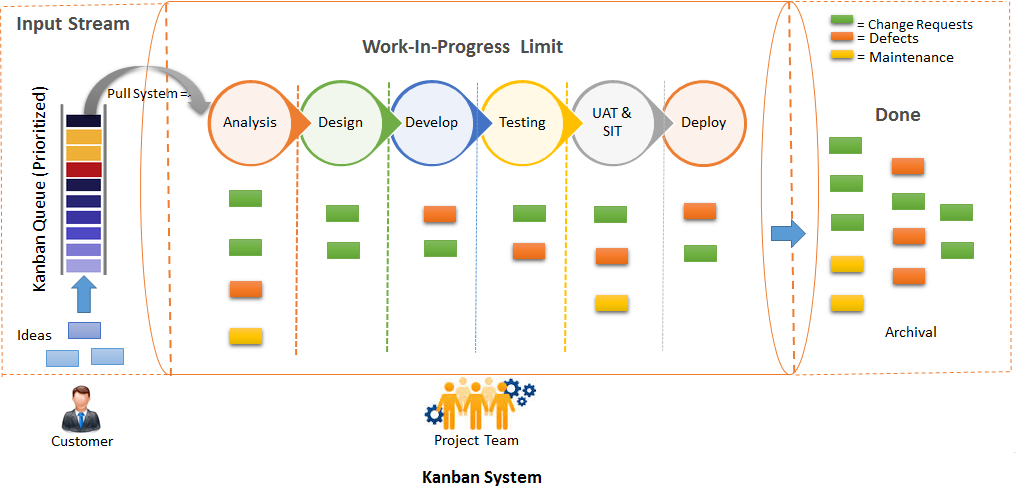
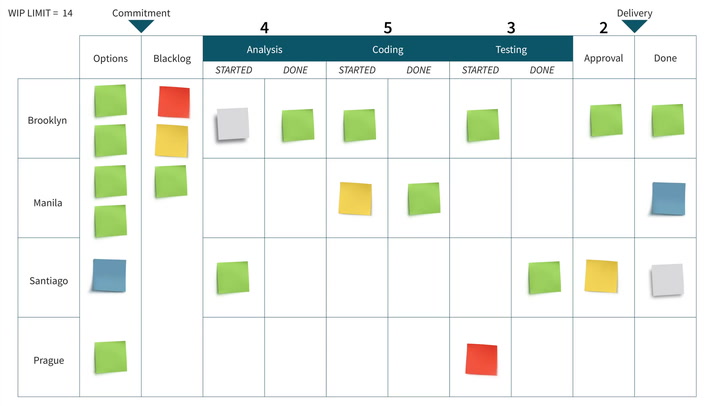
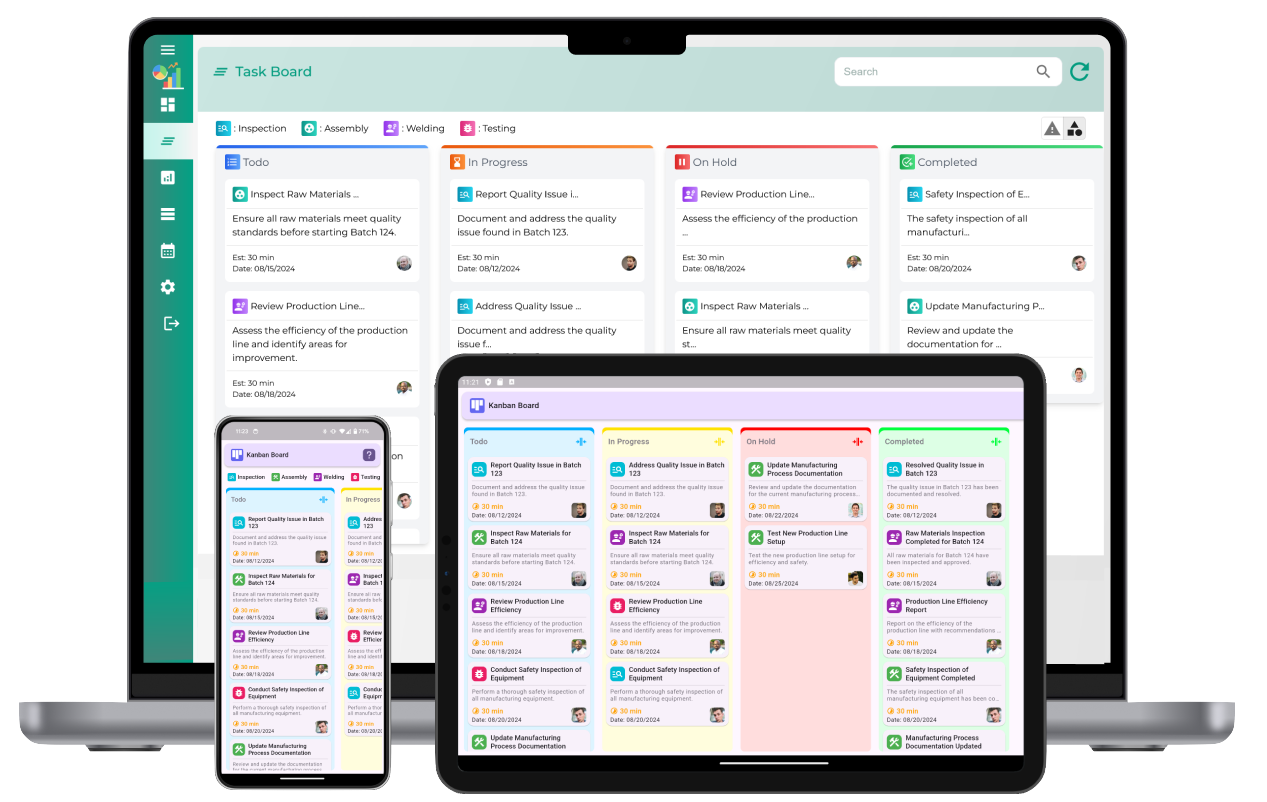
Many project management tools use Kanban boards to visualize tasks.
Kanban boards display tasks as cards organized into columns such as:
- To Do
- In Progress
- Review
- Completed
This structure helps teams quickly identify where work is concentrated and which tasks require attention.
Visual workflows reduce the cognitive effort needed to understand project progress.
Teams that use Kanban-style boards often experience improved collaboration and faster task completion.
Tools like Trello and ClickUp are widely known for their visual task management capabilities.
Deadlines Help Define True Priorities
Deadlines are one of the most effective prioritization signals in project management.
When tasks have clear due dates, teams can organize work based on urgency.
Project management software helps teams track deadlines through features such as:
- calendar views
- timeline views
- automatic reminders
- deadline notifications
These tools prevent teams from overlooking important tasks.
Teams working with tight schedules often benefit from strategies used in systems designed to help teams meet deadlines consistently.
When deadlines are clearly visible, prioritization becomes more objective and less dependent on guesswork.
Workload Visibility Helps Teams Focus
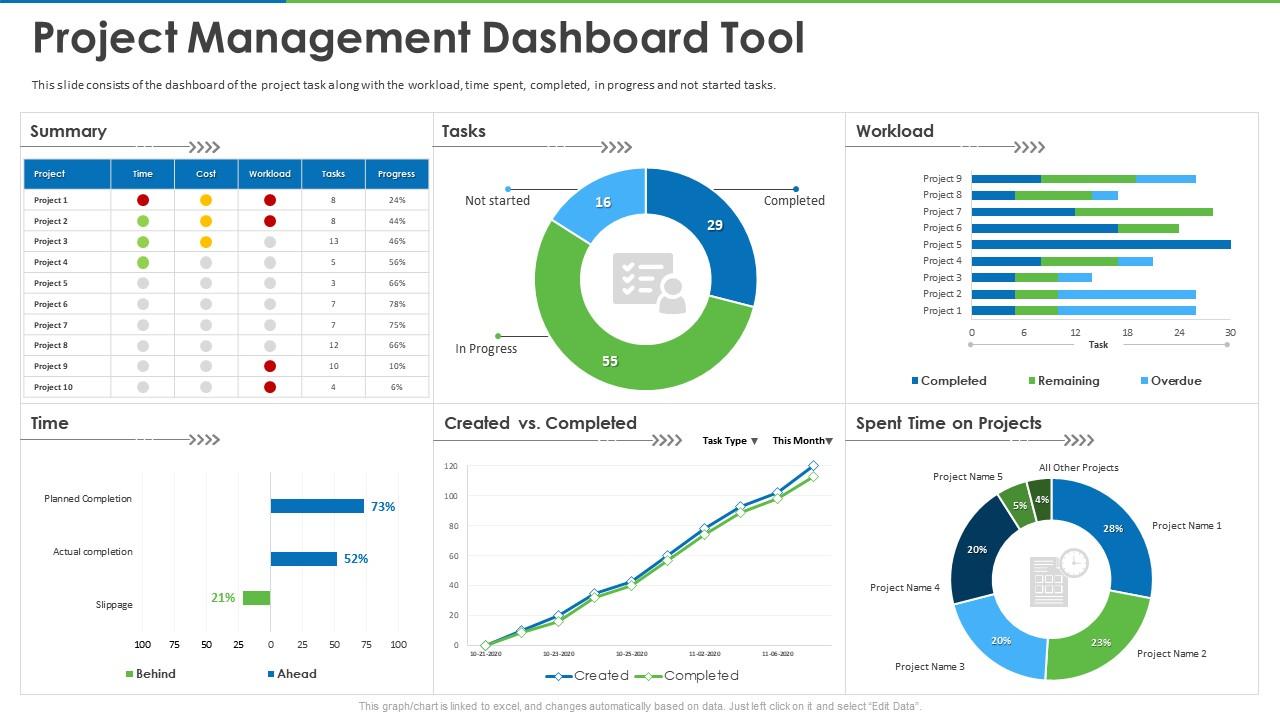
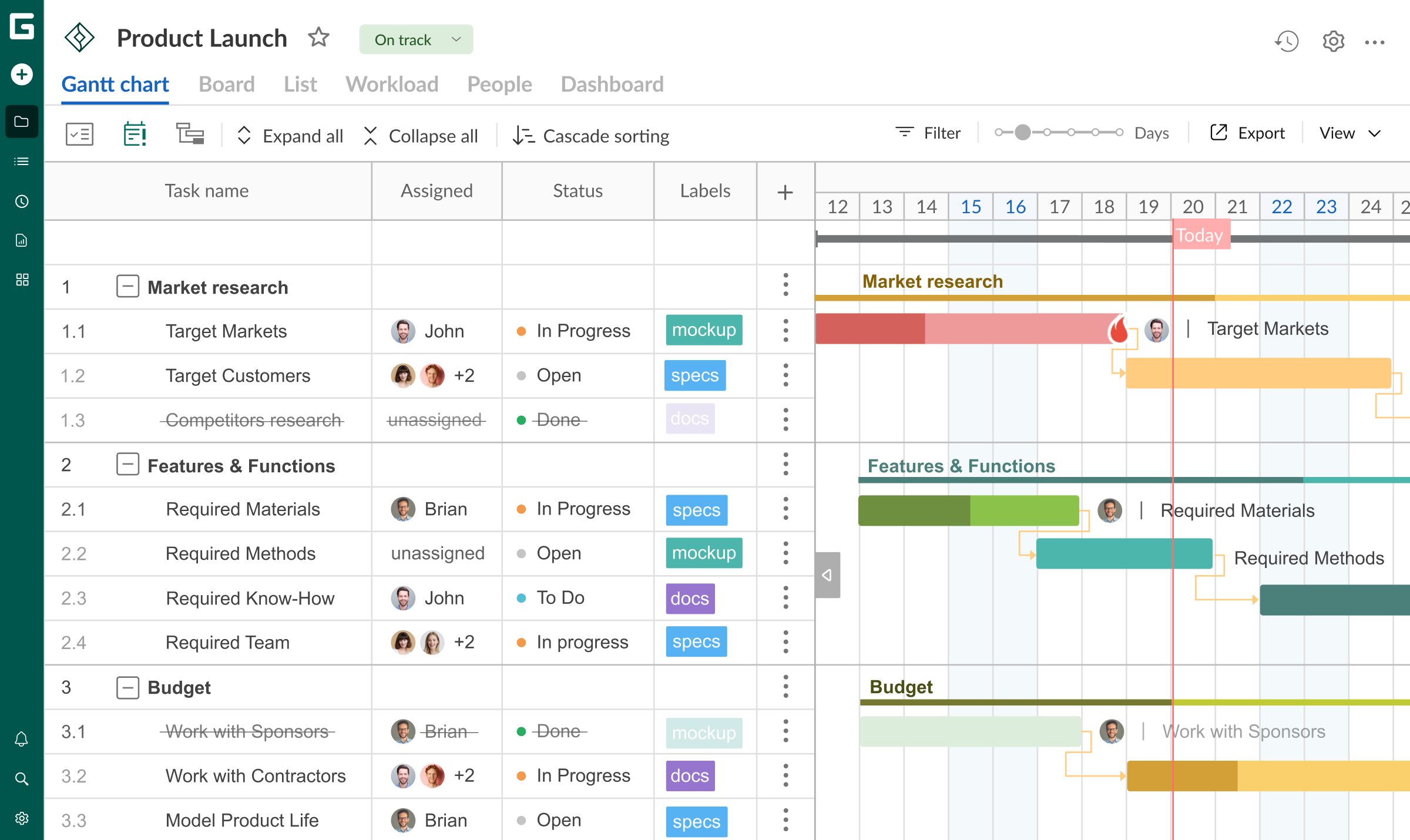

Another important feature of project management software is workload management.
Managers can see how tasks are distributed among team members.
This allows them to:
- identify overloaded team members
- redistribute tasks
- ensure balanced workloads
Balanced teams are better able to focus on priority tasks.
Without visibility into workloads, managers may unknowingly assign urgent tasks to already overloaded employees.
Workload dashboards provide transparency that improves task prioritization across the entire team.
Connecting Priorities to Project Goals
Prioritization becomes more meaningful when tasks are aligned with larger project objectives.
Project management tools help connect daily work with strategic goals by allowing teams to link tasks with:
- milestones
- project phases
- deliverables
This alignment ensures that teams are not simply completing tasks — they are progressing toward meaningful outcomes.
For example:
A marketing team may prioritize tasks related to an upcoming product launch over routine content updates.
This approach helps teams maintain focus on work that delivers the greatest impact.
Reducing Distractions and Low-Value Tasks


Without structured task management, teams often spend time on activities that do not significantly contribute to project success.
Project management software helps reduce distractions by:
- highlighting high-priority tasks
- clarifying responsibilities
- organizing workflows
This clarity prevents teams from becoming overwhelmed by minor tasks.
As a result, employees can focus on the work that truly matters.
How Prioritization Improves Team Communication
Prioritization systems also improve communication within teams.
When priorities are clearly defined, team members understand:
- what needs to be completed first
- which tasks can wait
- how work should be coordinated
This transparency reduces unnecessary meetings and helps teams collaborate more efficiently.
Many organizations use dashboards and shared project views to keep everyone aligned on priorities and deadlines.
When Teams Should Improve Task Prioritization
Teams may need stronger prioritization systems if they experience:
- frequent missed deadlines
- unclear responsibilities
- excessive workload stress
- project delays
Project management software provides structured solutions that help teams regain control over their workflows.
By implementing prioritization frameworks, teams can maintain productivity even as projects grow more complex.
Final Thoughts
Task prioritization is one of the most important factors in team productivity. Without clear systems for organizing work, even highly skilled teams can struggle to deliver projects efficiently.
Project management software provides the structure needed to organize tasks, visualize priorities, and maintain balanced workloads. With features such as priority labels, visual workflows, deadline tracking, and workload dashboards, teams gain the clarity needed to focus on high-impact work.
When teams adopt structured prioritization systems, productivity improves, stress decreases, and projects move forward with greater consistency.
Effective prioritization is not about doing more work — it is about doing the right work at the right time.